All projects

Petrel data recovery

FieldViewer Data Extractor

Inspect supported Petrel data and recover open-format outputs with a Windows interface or a headless workflow.

Public beta · 1.0.0-beta.3-r13 · released 22 October 2026

From a closed project to inspectable outputs

Supported data can be reviewed outside the original application without opening Petrel or using Ocean. Choose the exact .pet file and matching .ptd folder, select a separate output location, then review the report, downloads and disclosed gaps. Source project files remain read-only.

Desktop and Headless editions use the same extraction engine. Supported profiles include well logs, surface grids, points, polygons, trajectories, well-head evidence and local ZGY-to-SEG-Y conversion. Native Tops binding in r13 is limited to the observed supported schema.
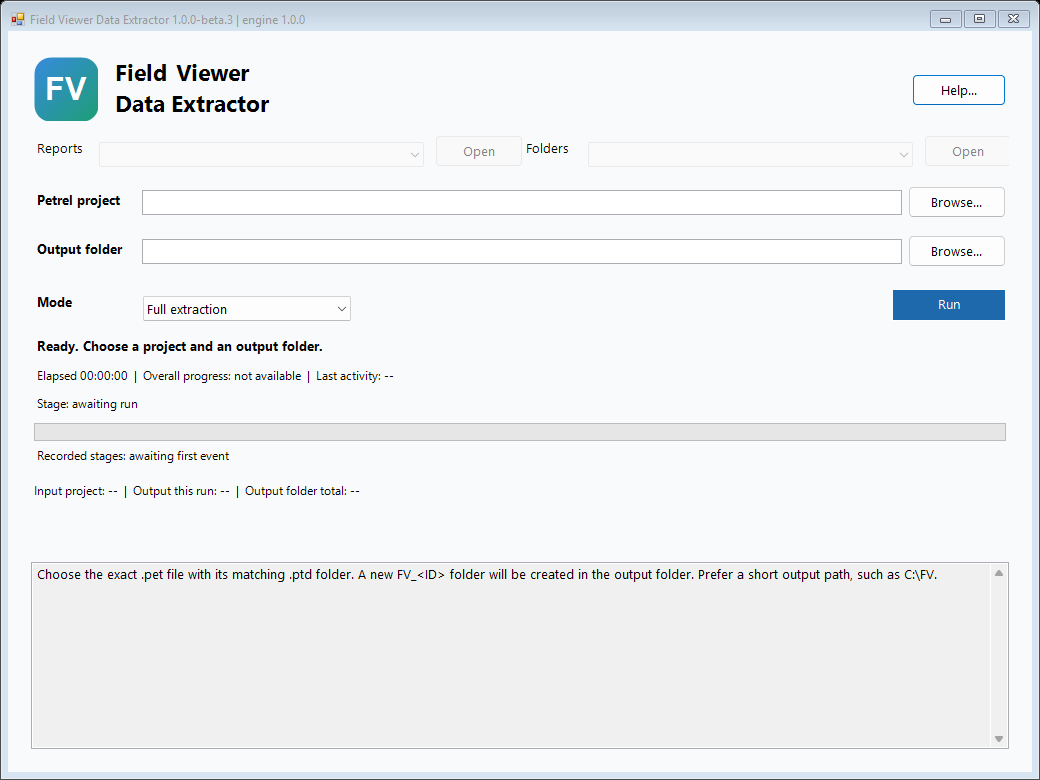
FieldViewer beta3 desktop interface with empty project and output selections
FieldViewer Desktop: select a Petrel project, choose an output folder and start an extraction. Open full-size image.

Find and review recovered data

The r13 release improves well-header and Tops discovery, grid grouping, preview direction and polygon linework. A concise front report links to dataset previews, downloads and detailed QC information.

Results distinguish recovered data from empty, unsupported or missing objects, making it easier to review the available outputs and plan further work.

Release notes and downloads.

Availability and limits

Extract the complete Windows x64 ZIP to a short writable folder and open Start Here. Python and dependencies are bundled. Existing beta3 users should download r13 manually; the update checker does not distinguish these preparation revisions.

Recovery depends on the project version and data profile. Review units, CRS, datum and seismic axes before using the exports; native Z is not automatically TVD. RESCUE support in this beta is limited to metadata inventory.